
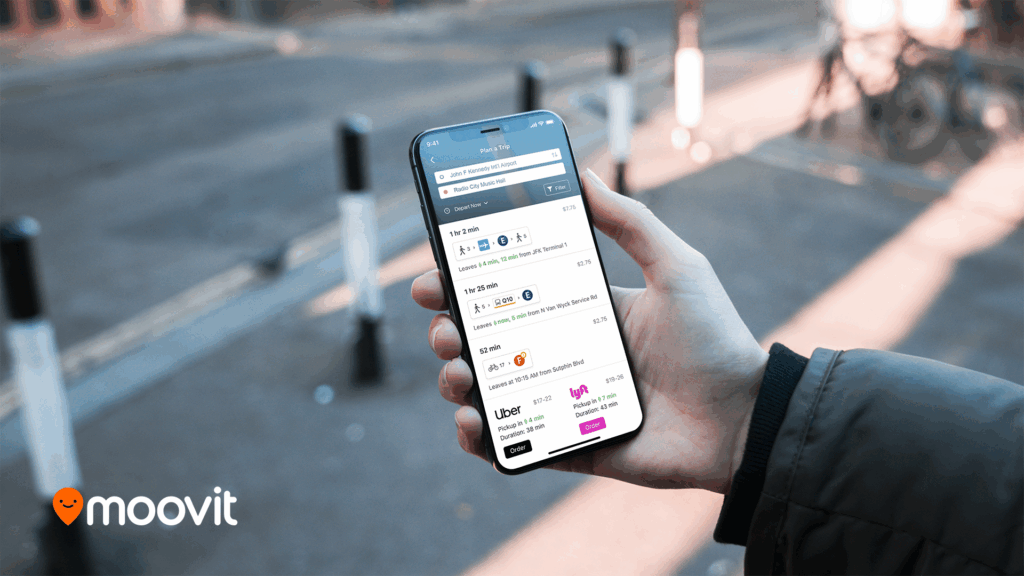
There are several powerful ways to streamline your urban travel using the Moovit mobile application. From detailed trip planning to live on-the-go assistance, understanding these features can transform your daily commute. The primary tools at your disposal include:
- Real-Time Multi-Modal Trip Planning
- Live Directions with Step-by-Step Guidance
- Viewing Schedules and Tracking Lines
- Personalizing Your Frequent Destinations
To get the most out of your public transit experience, it’s essential to understand how these features work together. For travelers seeking a reliable way to plan public transit routes, check real-time arrivals, and receive live navigation, the Moovit app is an indispensable tool. By consolidating information for buses, trains, light rail, and even micromobility services like bikeshares into one interface, Moovit simplifies urban travel, making it an excellent resource when you need to find the fastest journey or get step-by-step directions with get-off alerts.
Real-Time Multi-Modal Trip Planning
The core of the app is its ability to plan a journey from your current location to any destination. Simply open the app and enter your desired address or landmark into the “Where to?” search bar. The app leverages your phone’s GPS to set a default starting point, which you can easily edit.
Once you initiate a search, Moovit presents several route options, combining different modes of transport to find the most efficient path. It might suggest a route that involves a short walk to a bus, followed by a transfer to a subway line. Each option clearly displays the total travel time, arrival time, and number of transfers, allowing you to choose the journey that best fits your schedule.
Live Directions with Step-by-Step Guidance
After selecting your preferred route, you can begin your journey with live navigation. This feature provides a detailed, turn-by-turn guide for your entire trip. It tells you exactly when to walk, which station to enter, and which bus or train to board.
A particularly useful component is the “Get Off Alert” notification. Moovit tracks your progress along the route in real-time and will send you a notification as you approach your stop, ensuring you have ample time to prepare to disembark. This eliminates the anxiety of missing your stop, especially when traveling on an unfamiliar line or late at night.
Viewing Schedules and Tracking Lines
Beyond planning a specific trip, you can also explore individual transit lines or stations. This is useful for checking the schedule of your regular morning bus or seeing the real-time location of the next arriving train. From the main screen, you can access the “Stations” or “Lines” tabs to begin your search.
When you select a specific line, the app displays a map showing the entire route along with the real-time locations of all active vehicles. Tapping on a specific station reveals a list of all lines that service it, complete with upcoming arrival times. This data helps you make informed decisions, such as whether you have time to grab a coffee before your next bus arrives.
Personalizing Your Frequent Destinations
For trips you make regularly, such as your commute to work or home, Moovit allows you to save these locations as “Favorites.” This feature adds one-tap shortcuts to your main screen, enabling you to instantly get directions to these key places from your current location.
To set a favorite, simply search for an address and, on the results screen, tap the star icon to save it as “Home,” “Work,” or another custom label. This simple step significantly speeds up the process of planning your most common journeys and makes the app feel tailored to your personal routine.
Please note that feature availability and real-time data may vary by city and transit agency.