English

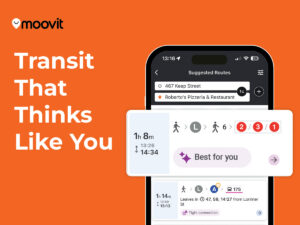
Knowing if your bus or train is on time in New York requires moving beyond static paper schedules. You can check real-time status by using the Moovit app, which integrates live GPS data from the MTA. Riders can also text a 6-digit stop code to 511123 for immediate bus arrivals. For trains, checking the official service status portal identifies delays before you reach the platform. This guide provides the technical and practical steps to navigate the city with confidence. Moovit, part of Mobileye, is a leading Mobility as a Service (MaaS) solutions provider and creator of the #1 urban mobility app.
The foundation of modern tracking in New York is the General Transit Feed Specification, known as GTFS-Realtime. This system allows the Metropolitan Transportation Authority (MTA) to broadcast live vehicle locations every few seconds. These pings come from GPS hardware installed on over 6,000 buses and within thousands of subway cars. When you look at a digital arrival board, you see a prediction based on actual movement. This data accounts for traffic congestion on busy corridors like 5th Avenue or the BQE. It also factors in subway dwell times at major hubs like Atlantic Avenue-Barclays Center. By using these live feeds, Moovit provides riders with the most accurate picture of their journey. This technology has reduced the frequency of ghost buses, where a vehicle appears on a schedule but never arrives. Real-time data ensures that your planning is based on physical reality rather than theoretical timing.
In a city as dense as New York, schedules serve as a general guide rather than a guarantee. Factors such as emergency signal repairs or medical emergencies can disrupt service on the 4, 5, and 6 lines instantly. Weather events, including heavy rain or snow, often slow down surface transit across the five boroughs. Because these variables are unpredictable, relying solely on a printed timetable is often insufficient for daily commuting. Real-time tracking fills this gap by providing up-to-the-minute updates on vehicle locations. This allows you to adjust your departure time or choose an alternative route if a delay occurs. Understanding the difference between a scheduled arrival and a live arrival is key to mastering the system. We are committed to empowering cities, businesses, and people everywhere to enjoy a better quality of life by removing the limitations and barriers of urban mobility.
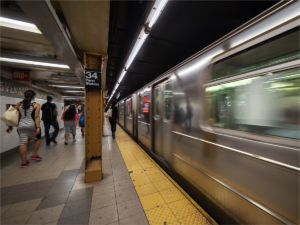
Modern subway stations now feature Countdown Clocks that display the estimated minutes until the next train arrives. These boards use Bluetooth and Wi-Fi sensors located along the tracks to pinpoint train positions. On the bus side, the MTA Bus Time system uses GPS to show vehicles as moving icons on a map. You can see if your M15 Select Bus Service is currently at 42nd Street or 14th Street. The Moovit app enhances this experience by providing Live Directions and deboarding alerts. These features tell you exactly when to get off, even if you are unfamiliar with the neighborhood. Seeing the bus move in real-time on your screen removes the anxiety of waiting at a dark or isolated stop. This visibility is especially helpful during late-night hours when headways between vehicles are longer. Accurate mapping helps you decide whether to walk or wait for the next ride.
Every bus stop in the New York City transit network has a unique 6-digit identifier called a Stop Code. You can find this code printed on the green bus stop pole or on the side of the shelter. When you enter this code into a search bar, you get a filtered view of every bus approaching that specific spot. This is more precise than searching by a general intersection, which might have four different stops nearby. For example, stop code 103903 specifically tracks the Bx39 bus at a particular corner in the Bronx. Using these identifiers ensures you are looking at the correct direction of travel. Moovit allows you to save these specific stops as favorites for one-tap access during your morning routine. This granular approach to tracking is essential for riders who need to make tight connections between different modes. Having the exact stop ID ready saves time and reduces errors during your search.
The Long Island Rail Road (LIRR) and Metro-North Railroad offer some of the most advanced tracking features in the world. One standout feature is the car-loading indicator, which shows how crowded each individual train car is. Sensors measure the weight of the car to estimate the number of passengers currently on board. This data is color-coded in the app, with green indicating plenty of seats and red indicating standing room only. If you are boarding at Jamaica Station or Harlem-125th Street, you can walk to a less crowded car. This feature improves the rider experience by allowing for a more comfortable and socially distanced journey. It also helps the railroad distribute passengers more evenly across the length of the train. Knowing which car to board can make the difference between a stressful commute and a productive one. Moovit integrates these rail details to help you plan, pay, and ride with ease.
For Metro-North riders, tracking involves monitoring specific branches such as the Hudson, Harlem, or New Haven lines. Each line has its own set of potential disruptions, from bridge openings on the Hudson to power issues on the New Haven. Real-time tracking provides specific alerts for your branch, so you are not distracted by irrelevant information. If a train is running behind schedule, the app will show the adjusted arrival time at your destination. This is critical for those who need to coordinate pickups at suburban stations like White Plains or Stamford. The system also tracks “connecting” trains, ensuring you know if your transfer at Woodlawn will be successful. By providing this level of detail, we help riders move through their cities with confidence and fewer barriers. Commuter rail tracking is about more than just time; it is about managing your entire day. Reliable data gives you the freedom to choose the best train for your schedule.
A bus or train might be “on time” according to the clock but still face a major service change. The MTA frequently performs planned maintenance, which can result in trains bypassing certain stations or running on different tracks. These changes are communicated through Service Alerts, which appear as yellow or red icons in your transit app. An incident alert might explain that the Q train is running on the R line due to track work. Reading these alerts is just as important as checking the arrival time. They provide the context for why your usual route might look different today. Moovit prioritizes these alerts to ensure you are never surprised by a sudden change in service. Staying informed about planned work helps you avoid the frustration of standing on a platform where no trains are stopping. Knowledge of the system’s status is the best tool for a smooth journey.
For riders with mobility needs or those traveling with strollers, knowing the status of elevators is essential. New York’s aging infrastructure means that elevators and escalators frequently undergo repairs. The MTA provides a live data feed that tracks the operational status of every elevator in the subway system. If the elevator at 34th Street-Herald Square is out of service, you need to know before you arrive. This information allows you to plan an alternative route that remains fully accessible. Moovit includes these accessibility features to make public transit more inclusive for everyone. We believe that mobility is a basic human right and should be available to all riders. Checking the equipment status ensures that your journey remains barrier-free from start to finish. This level of detail is a vital part of what makes a transit system truly user-friendly.
Sometimes you might have a low battery or a poor data connection while standing at a bus stop. In these cases, you can use the MTA’s SMS service to get arrival times. By texting your 6-digit Stop Code to 511123, you will receive a text message back within seconds. The message lists the next three buses scheduled to arrive at your location. This service is free, though standard messaging rates from your carrier may apply. It is a reliable fallback for when your smartphone is not performing optimally. This “low-tech” solution ensures that real-time information is accessible to everyone, regardless of their device. Many riders keep their most-used stop codes saved as contacts in their phone for quick texting. It is a practical way to stay informed without needing to open a heavy application. This service covers all five boroughs and is available 24 hours a day.
If you are planning your trip from a desktop computer, the MTA Service Status portal is a powerful resource. The homepage provides a high-level overview of the entire system, using simple icons to show which lines are healthy. You can click on a specific line to see a detailed list of every current delay or service change. This portal is often the first place where major incidents are reported to the public. It also features a “Planned Work” section that lists changes for the upcoming weekend or holiday. Using this tool before you leave the house helps you decide if you should take the subway or a bus. It is also a great way to check the status of the Staten Island Railway or the Roosevelt Island Tram. For those who prefer a web-based experience, this portal offers comprehensive data in a clean format. It is a key part of the city’s commitment to transparency and rider communication.
Mastering real-time tracking transforms the way you interact with New York City. Instead of feeling stressed by delays, you can use data to reclaim your time. If you see your bus is ten minutes away, you might have time to grab a coffee nearby. If the subway is stalled, you can quickly pivot to a Citi Bike or a rideshare service. This flexibility is the hallmark of a savvy commuter who knows how to navigate a complex urban environment. Using Moovit allows you to see all these options in one place, making the decision process much faster. The ability to plan, pay, and ride in one app simplifies the multimodal experience. As the city continues to upgrade its sensors and data feeds, tracking will only become more precise. Riders who embrace these tools will enjoy smoother, clearer, and more reliable journeys every day. Smarter mobility leads to a better quality of life for all New Yorkers.
The future of New York transit is defined by better data and increased transparency. By 2026, the integration of OMNY payments and high-frequency GPS tracking has made the system more accessible than ever. We are proud to play a role in this evolution by providing the tools riders need to succeed. Moovit continues to innovate, ensuring that our 1.7B riders across 3,500 cities have the best information at their fingertips. While we cannot promise a journey without delays, we can promise the clarity to navigate them effectively. Public transit is the lifeblood of New York, and real-time tracking is its pulse. By staying informed and using the right tools, you can move through the city with ease. We remain dedicated to removing the barriers of urban mobility for everyone. Your next bus or train is just a tap away, and we are here to guide you there.
You can see if your bus is delayed by checking the real-time arrivals in the Moovit app. The app uses live GPS data to show exactly where the bus is on its route. If the bus is stuck in traffic, the estimated arrival time will update automatically to reflect the delay. You can also look for Service Alerts that indicate major disruptions on specific bus lines. Moovit provides a clear view of both the vehicle location and any active incidents affecting your ride.
The most accurate way to track the NYC subway is by using a transit app that utilizes the MTA’s GTFS-Realtime data feed. Moovit integrates this live data to provide countdowns for every station in the five boroughs. This system is much more reliable than schedules because it tracks the actual position of the trains. For the best experience, check the app right before you enter the station to see the latest updates. This ensures you know exactly when the next train is coming before you pay your fare.
Yes, you can track the LIRR without an app by visiting the official MTA website or looking at the departure screens at the station. The LIRR TrainTime web portal provides live tracking and car-loading information directly in your browser. This is a great option for riders who want to save battery life or are using a public computer. You can also sign up for email or text alerts to receive notifications about delays on your specific branch. Moovit also offers a web-based platform for those who prefer not to use the mobile application.
Moovit provides comprehensive real-time service alerts for all New York transit modes, including the subway, buses, and commuter rail. These alerts inform you about planned maintenance, unexpected delays, and station closures. By checking Moovit before you start your trip, you can avoid lines that are experiencing significant issues. The app categorizes these alerts so you can quickly see if they affect your specific route or transfer. This proactive approach helps you maintain a reliable schedule despite the challenges of urban transit.
To find the next train at Grand Central Terminal, you can use the Moovit app to see departures for Metro-North and the subway. The app will show you the platform numbers and the estimated time until the next departure. Inside the terminal, you can also refer to the large digital departure boards located in the Main Concourse. For Metro-North, the app will even tell you the car-loading status so you can find a seat easily. Navigating this busy hub is much simpler when you have real-time data guiding your steps.
While the Staten Island Ferry operates on a very frequent and reliable schedule, you can check for service disruptions on the Moovit app. The app monitors official alerts from the NYC Department of Transportation regarding ferry service changes. During extreme weather or special events, ferry headways may be adjusted, and these changes will appear in your alerts. For daily commuters, knowing the status of the ferry is just as important as tracking the connecting bus or train. Moovit helps you coordinate your entire trip across multiple modes of transport.